If you are a YouTuber, freelancer, or content creator, you may often wonder how to edit videos for free in a professional way. You might also be searching for the best free video editing apps or software for Android.
People around the world are making videos and uploading them to social media. Even though they are not officially content creators, they still upload videos just for fun or for other reasons.
Since TikTok entered the market, a large portion of the world’s population has become content creators. Even you or a member of your family may be making videos daily and uploading them on social media.
However, not all of them can afford a professional laptop for editing or expensive video editing software.
If you are an Android user or an iPhone user, the good news is that you don’t need a computer or expensive software to edit videos. There are many free video editing software for Android or IOS that can help you create professional videos easily.
We will explain the features, pros, and cons of each app, as well as why they are useful. The words are simple so that anyone can understand.
Free video editing apps are a great option for beginners, content creators, and anyone who wants to edit videos without investing in an expensive Laptop or software.
Free editing software can work directly on your smartphone and offer powerful features like filters, transitions, text, and music. Most importantly, they allow you to create professional videos without spending any money. Here are the key points of using video editing Software for free
Best Video Editing Software for Android and IOS in 2026
All of the video editing apps mentioned below are great and useful, depending on people’s needs. Some of them are truly excellent, and you can even use them as a professional free video editor.
Tip: Using a combination of one or more apps can give you better results. For example, using VN and Canva, or VN, Canva, and CapCut together, can give your videos a more professional look.
1. VN Free Video Editor – No Watermark & Free
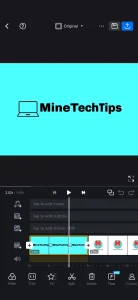
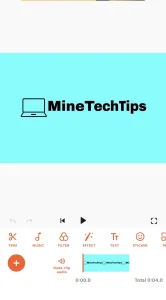
VN is one of the best video editing apps for Android. The good thing is that it has no watermark, it’s free to use, has a simple interface, and is easy to use.
VN Video Editor is one of the best free video editing apps for beginners, YouTubers, and content creators. It is available on Android, iOS, Windows, and macOS, making it a flexible choice for anyone who wants to edit videos easily.
If you are looking for a professional video editing app without a watermark, VN Video Editor is a great option.
One of the main reasons people love VN Video Editor is its simple and clean interface. Even if you have no experience with video editing, you can quickly learn how to use this app.
All tools, like trimming, cutting, splitting, and merging clips, are easy to find and use. This makes VN Video Editor perfect for YouTube videos, Instagram reels, TikTok videos, and vlogs.
Key Features of VN Video Editor
Clean and simple interface
No watermark
Multi-track editing
Free filters and transitions
Supports HD and 4K
Tip: If you want professional editing without a watermark, VN is perfect.
Canva is one of the most popular online photo and video editing apps or software used by beginners, students, marketers, and content creators. It comes in both free and paid versions.
If you are a beginner or don’t have enough money to buy the premium version of Canva, you can use Canva for free as well, without a watermark.
It helps you create professional designs without needing advanced design skills. Canva works on the web, Android, and iOS, so you can design anytime, anywhere.
Many people are confused about how to use Canva for free because when they open the app, it asks them to upgrade to the premium version to download edited files.
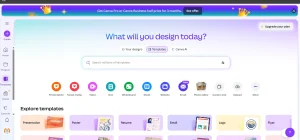
To use Canva’s free service, simply open the app and go to the Templates section, which appears at the bottom of the app. Then type the kind of template you want, such as a TikTok reel, Instagram reel, mobile video, YouTube video, or meme.
Using these free templates, you can create any type of video or photo for free without a watermark.
You can also use Canva directly from the website without downloading the app.
CapCut is one of the most popular free video editing apps for Android, iOS, and PC. It is widely used by content creators, YouTubers, and social media users because it offers powerful editing features with a very simple interface.
One of the main reasons CapCut is so popular is its easy-to-use design. Even beginners can start editing videos quickly. You can import videos, photos, and music with just a few taps.
Tools like trim, cut, split, and merge are smooth and easy to use, making CapCut perfect for daily content creation.
CapCut offers a wide range of effects, filters, transitions, and animations. These features help make your videos more attractive and engaging.
You can add text, subtitles, stickers, and emojis to your videos. CapCut also supports auto captions, which is very useful for social media videos where captions are important.
Key Features of CapCut
Easy drag and drop editing
Free filters and effects
Background music and sound effects
Text, stickers, and animations
No watermark
Supports HD and 4K export
4. KineMaster – Professional Video Editing App
KineMaster is one of the most popular free video editing apps for Android and iOS. It is widely used by content creators, YouTubers, and social media enthusiasts because it provides professional features in a user-friendly app.
If you want to create screenshot videos for YouTube thumbnails, this is the best app for you.
Whether you are a beginner or an experienced editor, KineMaster makes it easy to create high-quality videos.
KineMaster comes with many powerful features such as multi-layer editing, transitions, effects, filters, and animations. You can add text, stickers, and emojis to your videos to make them more engaging.
Advanced tools like keyframe animation let you control motion in your videos, making them look professional and dynamic.
But the free version of KineMaster is that it adds a watermark to exported videos. However, the watermark can be removed by subscribing to the KineMaster Premium plan, which also gives access to additional assets, effects, and professional tools.
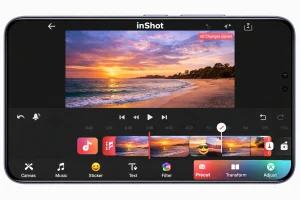
InShot is one of the most popular video editing apps for Android and iOS. InShot is perfect for YouTube videos, Instagram reels, TikTok content, and vlogs.
If you have no experience in video editing, you can start creating videos in minutes. Importing videos, photos, and music is easy, and editing tools like trimming, cutting, splitting, and merging clips are smooth and responsive.
InShot offers many editing features for free, including transitions, effects, filters, text, stickers, and emojis. You can add subtitles to your videos, which is very helpful for social media platforms where captions improve engagement.
Another great feature of InShot is its audio editing tools. You can add background music, voiceovers, or sound effects, and adjust volume levels easily. You can also trim audio clips and sync them with your video perfectly.
Key Features of InShot
Trim, cut, and merge videos
Add music and sound effects
Text and emoji support
Video filters and transitions
Adjust video ratio for social media
6. PowerDirector – Advanced Video Editor
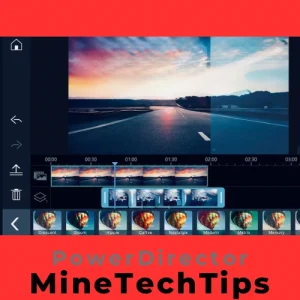
PowerDirector is one of the most popular video editing apps and software for both mobile devices and PC. Many YouTubers use this app to edit videos.
You can create videos directly in the app, with helpful tutorials guiding you as you add action movie effects and edits. This app allows you to edit videos just like you would on a PC.
You can do almost anything, including slow motion and speed edits, to increase excitement using a simple slider and more.
You can import videos, photos, and music quickly, and tools like trimming, cutting, splitting, and merging clips are simple to use. Even beginners can edit videos professionally in minutes.
PowerDirector offers advanced video editing features such as multi-layer editing, slow motion, fast motion, and video stabilization. You can add transitions, effects, filters, text, and animations to make your videos more attractive.
The app also supports chroma key (green screen), which allows you to create creative background effects like a professional studio.
Key Features of PowerDirector
Timeline editing
Green screen support
Video stabilization
Voice-over tools
4K video support
7. Alight Motion – Best for Motion Graphics
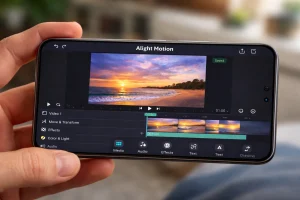
Alight Motion is a powerful free video editing app and motion graphics app for Android and iOS. It is especially popular among creators who want to make smooth animations, motion graphics, and visual effects on their mobile devices.
One of the main highlights of Alight Motion is its motion graphics features. The app allows you to create animations using keyframes, which let you control movement, opacity, rotation, and scale over time.
Alight Motion supports multi-layer editing, which means you can add multiple video clips, images, text, and shapes on the timeline.
Alight Motion allows you to export videos in high quality, including Full HD. You can choose different frame rates to get smooth animations.
The app also supports transparent backgrounds, which is useful for overlays and motion graphics.
Key Features of Alight Motion
Motion graphics
Keyframe animation
Visual effects
Vector support
8. FilmoraGo – Stylish Video Editing Apps
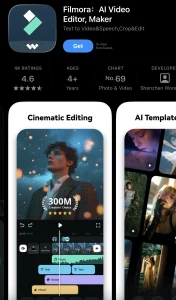
FilmoraGo is a popular free video editing apps developed by Wondershare. It is available for Android and iOS and is widely used by beginners, YouTubers, and social media creators.
FilmoraGo is a beautiful and powerful video editing apps that does not add a watermark to video clips. With FilmoraGo, you can easily create videos with music and effects.
It helps you make fun videos and relive your memories anytime, anywhere.
Audio editing is another strong point of FilmoraGo. You can add background music, sound effects, or voiceovers to your videos. The app lets you adjust audio volume, trim sound clips, and apply fade-in and fade-out effects.
This helps improve overall video quality and makes your content more professional.
Key Features of FilmoraGo
Ready-made templates
Music and sound effects
Text and overlays
Video transitions
Easy sharing
Supports imports from social networking like Facebook and Instagram
Add music from FilmoraGo’s library of licensed songs
Choose from stylish themes of FilmoraGo
Slow down & Speed up: create Multiple Fast or Slow Motions in the Same Video!
9. YouCut – Best Free Video Editor Without Watermark
YouCut is a popular free video editing app for Android developed by InShot Inc. It is specially designed for users who want a simple, fast, and watermark-free video editor.
One of the best things about YouCut is that it is a free video editor with no watermark. Many free apps add watermarks to exported videos, but YouCut allows clean exports without paying.
You can export videos in Full HD quality, ensuring your content looks clear and professional.
YouCut works smoothly on most Android smartphones and does not require a high-end device. It is lightweight, fast, and stable, making it suitable for users with budget phones.
Key Features of YouCut
No watermark
Video trimming and cutting
Background music
Video filters and effects
Compress videos without losing quality
10. Adobe Premiere Rush – Trusted Editing App
Adobe Premiere Rush is a trusted video editing apps developed by Adobe for beginners, YouTubers, and social media creators. Adobe Premiere Rush is available on Android, iOS, Windows, and macOS.
One of the useful feature is color correction and presets. You can enhance your video colors with one tap or manually adjust brightness, contrast, and saturation. This helps your videos look more professional without advanced knowledge.
Adobe Premiere Rush offers both free and premium plans. The free version allows limited exports and includes basic tools. The premium version unlocks unlimited exports, premium assets, cloud sync, and access across multiple devices.
You can choose any of the above-mentioned options according to your needs. It all depends on you, as each one is good in its own features.
However, if you want to edit videos in a professional way or create fun meme videos, you may need to combine two or more apps to make the final result more perfect.
If you ask me which apps I use for editing my personal videos, my simple answer is that I love using VN and Canva together. Both are easy to use and work best for me.
Here are some tips I would like to share with you to help you choose the right app:
Android users are lucky because there are many free video editing apps available today. Whether you are a beginner or a professional, you can easily find the right app for your needs.
If you want simple and free editing, go with CapCut, Canva and VN Video Editor.
If you need advanced tools, try KineMaster, PowerDirector or VN+Canva.
For quick social media videos, InShot and YouCut are perfect.
All these free video editing apps can help you create amazing videos without spending money.